How to Print on Paper Bags is a question all businesses ask, you know the value of eco-friendly, custom-branded packaging that makes a lasting impression on your customers. Working with a custom bags supplier will increase your brand visibility and keep you eco-friendly.
Printing on paper bags will enhance your brand image and shape consumer perception. A great design will get your logo and message in front of more people. This article covers the basics of paper bag printing, with tips and materials for custom branding.
We’ll cover the essentials, printing methods, design tips, and how to choose the right custom bag supplier. Your next packaging upgrade is just a few steps away!
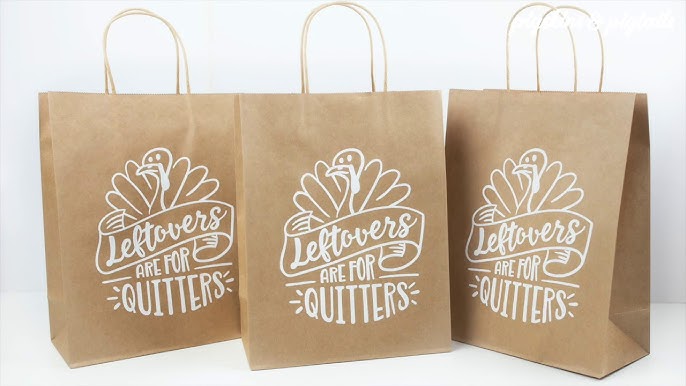
Table of Contents
How To Print On Paper Bags?
1. Choosing the Right Printer and Materials
When printing on paper bags, choosing the right materials and printer is key to getting good results. The final use of the printed design will guide your material and technology choices.
a. Materials for Paper Bag Printing
- PLA (Polylactic Acid): Biodegradable material for eco-friendly packaging and concept designs. Strong but brittle so good for short-term or disposable use.
- PETG (Polyethylene Terephthalate Glycol): Resists moisture and chemicals, good for printed designs. Food safe so good for paper bags used in food packaging.
- ABS (Acrylonitrile Butadiene Styrene): Tough and heat resistant, good for designs that need to withstand impact. A heated printing environment and good ventilation are required.
- TPU (Thermoplastic Polyurethane): Flexible and impact-resistant, good for designs that need elasticity or for reusable paper bags.
b. Specialty Materials for Extra Durability
Ⅰ. Nylon: Lightweight, durable, and heat and chemical resistant. Good for paper bags that need to withstand wear and tear. Often used for functional prototypes in packaging.
Ⅱ. Composites (Carbon Fiber, Kevlar): Strong and durable but expensive. Good for high-strength paper bag designs for heavy-duty packaging.
2. Choose the Right Ink
When printing on paper bags, choosing the right ink is key to getting good results. Your choice will depend on durability, appearance, and budget.
a. Pigment Inks for Long Lasting Prints
For paper bags that will be in sunlight or moisture, pigment inks are the way to go. They produce fade-resistant, long-lasting prints with good water and smudge resistance. Good for bags used outdoors or in bright conditions. More expensive than dye inks but worth it for important or archival prints.
b. Dye Inks for Bright Colours
If you want bright, bold colors on glossy or coated paper bags, dye inks will give you a smoother finish and quicker drying time. Dye inks are more affordable and good for colorful designs but will fade or smudge over time. Dye inks are often used for photo-quality prints and short-term use.
c. Ink Compatibility and Testing
Make sure the ink you choose is compatible with your printer, whether it supports pigment inks, dye inks, or both. Always test print to check color accuracy and print quality before you do a large print run.
Expert Tips:
“For optimal results in How To Print On Paper Bags,, using eco-friendly inks and ensuring color consistency will also enhance your brand’s professional appeal and environmental responsibility.”
————Guillermo Franzoy,Paper Bags – Resmacon – Socio Fundador
3. Printer Settings
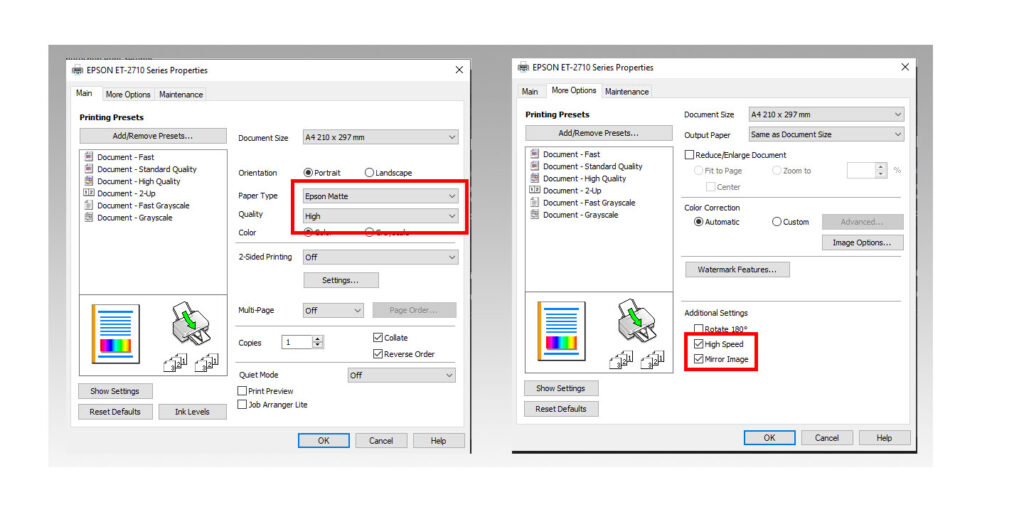
To print good images on paper bags, you need to adjust your printer settings. These steps will help you avoid misfeeds, smudging, or jamming when using thicker or specialty papers.
1. Set the Right Paper Thickness
Turn off the printer and open the cover. Adjust the paper thickness lever on the left side according to the type of paper bag you are using:
- Thin paper bags: 0 (Thin Paper)
- Thick or multi-layered paper bags: 2 (Thick Paper)
- Envelopes or heavy paper bags: 5 or 6
2. Choose the Right Paper Weight
Go to your printer’s settings, Maintenance > Plain Paper Setting and select:
- Plain Paper 1 for light paper bags (60 g/m² to 74 g/m²)
- Plain Paper 2 for heavy paper bags (74.1 g/m² to 90 g/m²)
3. Select the Paper Type in System Settings
Go to System Settings > Tray Paper Settings and select:
- Plain Paper
- Middle Thick
- Thick Paper 1, 2, or 3 (for thick paper bags)
4. Adjust Custom Paper Settings
Press the “Menu” button, go to “Custom Paper” and use the arrows to select the right thickness level. Also, update your print settings on your computer to match the paper type.
By doing this you will get smooth, professional prints on paper bags every time.
4. Preparing the Paper Bags
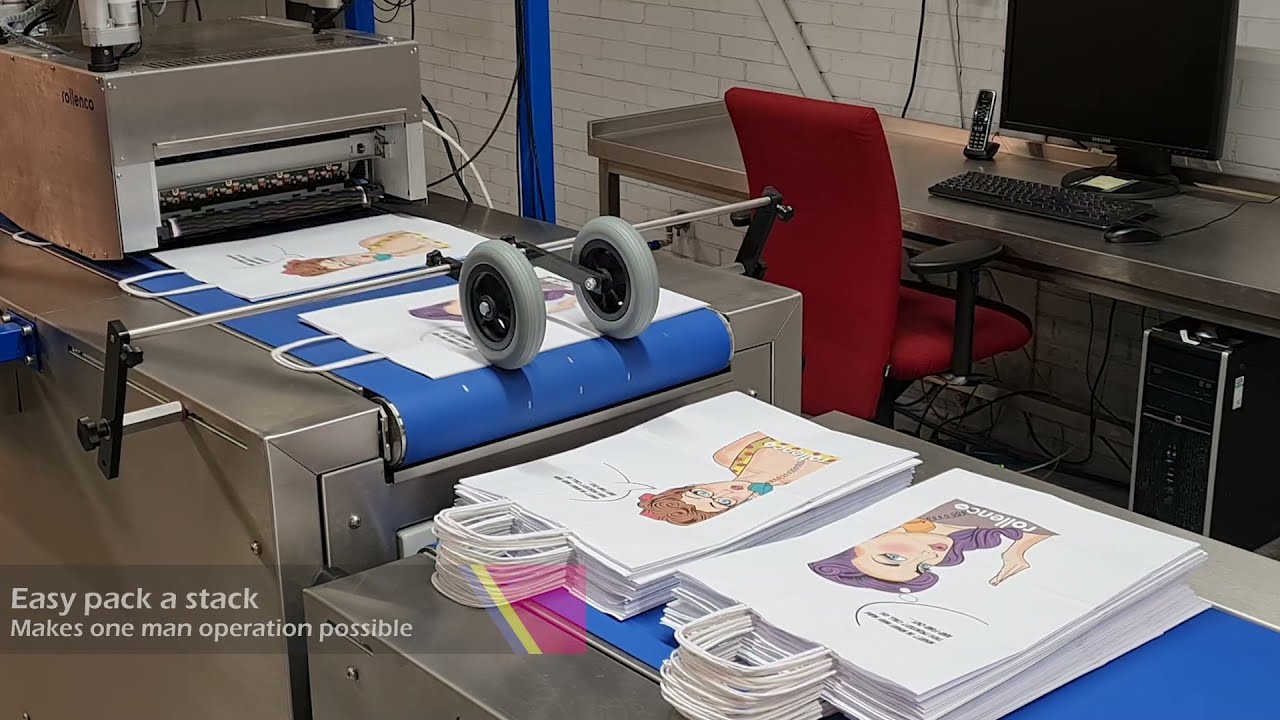
Before you print on paper bags, make sure to prepare them well. Here’s how:
a. Cleaning the Bags Make sure the bags are dust-free or debris-free. This simple step will prevent smudges or poor ink adhesion. Clean bags will maintain the print quality.
b. Remove Handles and Excess Material Before you print, remove any handles or excess material. This will give you a smooth surface to print on and your design will print evenly on the bag.
c. Bag Placement Place the bags flat to prevent movement during printing. Use tape or paperweights to hold them in place. Proper alignment will prevent shifts or blurs and give you accurate results.
By doing this you will improve print quality and reduce production errors.
5. Design Preparation
When printing on paper bags, your design should reflect your brand identity. Follow these guidelines to create a logo that prints well on paper bags:
⑴ Simplicity and Memorability A simple logo is more memorable and versatile. Don’t have too many elements or intricate details as they will distort during printing.
⑵ Color Selection Colors are important in your design. Choose colors that match your brand message and evoke the right emotions. For example: – Blue: Trust and reliability. – Green: Growth, health, and peace.
⑶ Color Blocks vs Gradients Solid color blocks work well on kraft paper. Avoid gradients as they will bleed or smudge and will give poor print quality.
⑷ Font Choose a font that’s readable and fits your brand. Avoid decorative fonts especially for smaller prints as they will reduce clarity.
⑸ High-Resolution and Dimensions Make sure your logo is high-resolution so it will remain sharp across different mediums. Check the design size and margins to ensure it will look clear and professional on any bag size.
⑹ Get Feedback Before finalizing your design get feedback from colleagues or clients. Testing with different audiences will give you useful insights and will help you improve your logo for better results.
By following these guidelines you will have a design that represents your brand and prints well on paper bags.
Expert Advice:
“Before printing on paper bags, includes using vector graphics for clarity, preparing color separations, and accounting for bleed areas to avoid any misalignment during the printing process.”
————Baike Min,Paper Bags/Paper packaging/Stainless Tube&Pipe
6. Printing Options
| Printing Option | Advantages | Limitations | Data |
|---|---|---|---|
| Digital Printing | Eco-friendly inks, white ink, high-res designs | Affected by kraft paper texture | 50% eco-friendly ink usage, 95% design clarity |
| Screen Printing | Reusable screens, multi-color capable | Time-consuming for multi-colors | Up to 3 colors per design, 85% screen reusability |
| Offset Printing | Precision, high-quality, large volumes | High setup cost for small runs | Efficiency up to 10,000 units per hour |
| Hot Stamping | Premium look, metallic/pigmented foils | Higher cost, limited to small logos | 80% increase in brand visibility with foils |
| Direct Printing | Full-color, no minimum order | Requires high-res designs (300dpi) | 300dpi for best quality, saturation 150% |
☆ Digital Printing
Digital printing is a great option for printing on paper bags, especially kraft paper bags. Make sure your digital printer can handle the weight and texture of kraft paper to avoid jams and printing errors. The texture of kraft paper can affect print quality so make sure to adjust your printer settings to prevent smudging or image distortion.
Tips:
High-Resolution Designs: Use vector images for clarity as they will not lose quality when resized.
Ink Types: Water-based inks for eco-friendliness or solvent-based inks for more vibrant colors.
White Ink Printing: Apply a white ink base to make lighter colors pop.
Pre-testing: Run test prints to adjust design and printer settings.
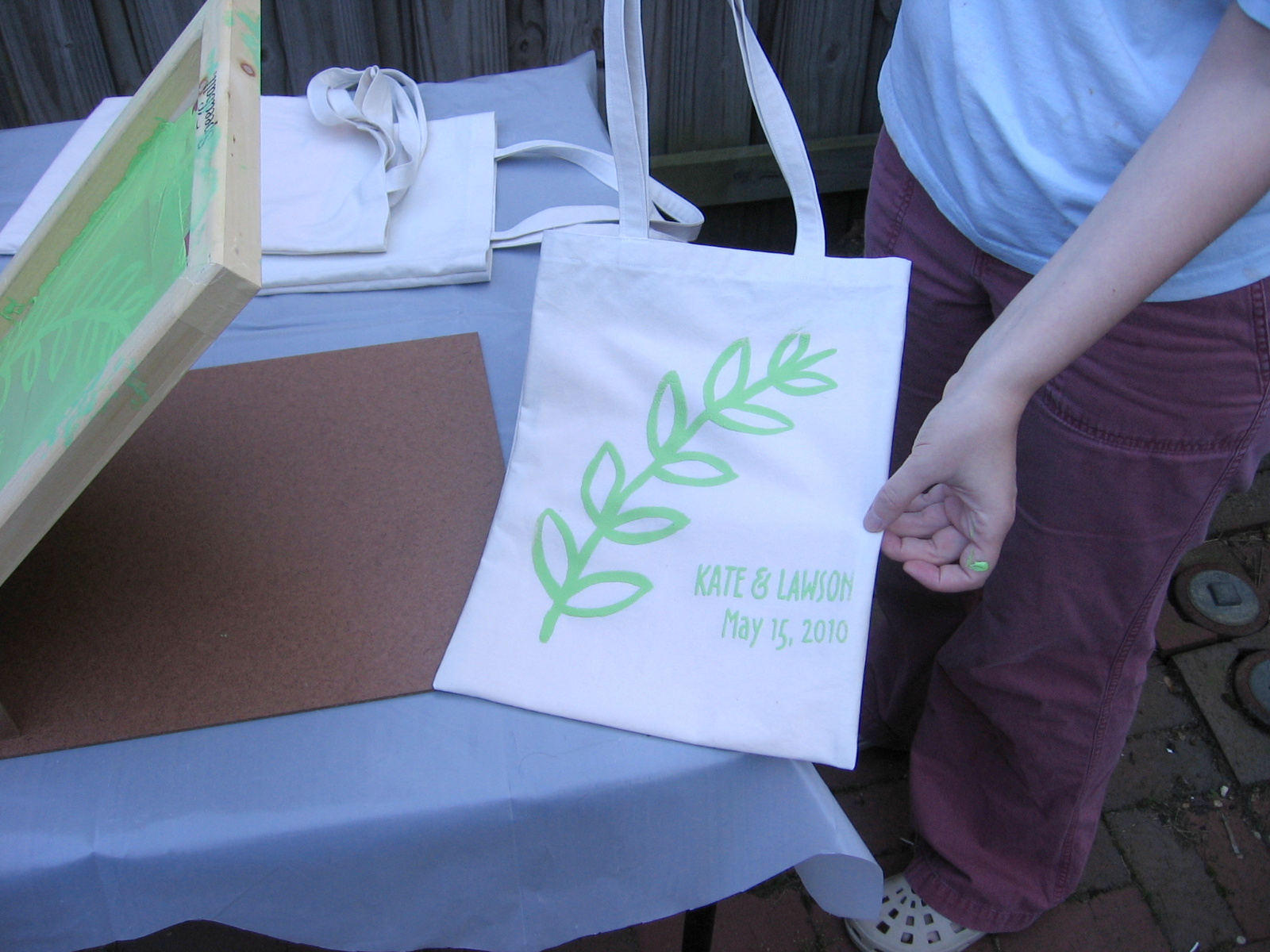
☆ Screen Printing
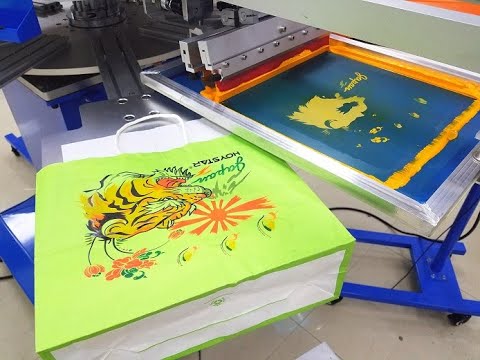
Screen printing is a great option for printing on paper bags. Here’s how it works:
▷ Create the Design: The design is made on a transparent film which is the stencil.
▷ Prepare the Screen: A mesh screen is coated with light-sensitive emulsion and exposed to bright light. This hardens the emulsion except where the design is.
▷ Apply Ink: A squeegee applies ink through the screen onto the paper bag. For multi-color design, this step is repeated.
▷ Drying and Reusability: After printing the ink is dry and the screen can be used again for future designs.
☆ Offset Printing
Offset printing is a reliable way of printing on paper bags. It transfers the inked image from a metal plate to a rubber blanket which then prints onto the bag. This ensures precision and quality.
Sheet-Fed Offset Printing
- For small to medium print runs.
- Works on different paper sizes and types.
- Used for brochures and customized products.
Web Offset Printing
- For large-volume jobs.
- Coldset Web Offset: For uncoated paper.
- Heatset Web Offset: For coated paper, higher quality finish.
☆ Hot Stamping
Hot stamping is a high-end printing technique that uses heat and pressure to apply metallic or colored foils onto paper bags. Great for logos and small text to give a shiny premium look.
Metallic Foils: These foils have a mirror-like shine and come in glossy, matte, or holographic finishes. Perfect for making brand logos stand out on luxury packaging.
Pigmented Foils: These provide bold, vibrant colors that work well on dark backgrounds to make designs pop.
Combination with Embossing: Hot stamping can be combined with embossing to add texture. No extra cost for alignment.
☆ Direct Printing
Direct printing on paper bags is a flexible way to get high-quality designs with full-color bright prints. This method produces photorealistic results with minimal setup. Good for intricate designs, perfect for custom packaging.
Direct Printing Benefits
- No Minimum Order: Good for small businesses and on-demand printing.
- Eco-Friendly: Water-based inks reduce waste.
- Versatile Material Options: Works on natural fibers but can adapt to different bag types.
Notes
- High-res design (300 dpi) and higher saturation (150%) are recommended for sharper prints.
7. Handling and Drying Prints
When printing on paper bags handling and drying your prints properly will ensure the quality and prevent damage.
- Don’t touch the printed area: Even with gloves, don’t touch the inked area. On paper bags with a lot of ink, especially matte or smooth surfaces, touching will leave marks.
- Wear gloves: Always wear white cotton gloves when handling the prints. This will prevent oils, moisture, or dirt from affecting the print quality.
- Handle by the edges: Try to touch only the unprinted margins. This will lower the risk of damaging the image.
Drying Methods
1. Air drying: Let the prints air dry naturally without heat. You can use clothespins to hang them but avoid using hair dryers as fast drying can cause damage.
2. Use drying boards: Attach your paper bag prints to wooden boards or drywall to dry flat. Wait until they are fully dry before removing them to prevent curling.
3. Interleaving: If you need to dry prints flat, place blotting paper or paper towels between the layers to absorb moisture. Change the paper when it becomes damp.
4. Secure all corners: When drying on a flat surface, tape down all four corners to prevent warping or curling during the drying process.
By following these handling and drying steps you will preserve the quality and durability of your prints on paper bags.
Related Reading:
Discover Where Coach Bags Are Manufactured: Quality and Craftsmanship
Conclusion
As a business you know high-quality printing on paper bags means high-quality brand and customer satisfaction. Using top-notch printing methods sets you apart and leaves a lasting impression.
This article about How To Print On Paper Bags summary shows the importance of precision printing. Need custom bags? We can help you find the solution. Find out more ways to show off your brand – contact us at info@leelinebags.com or leelinebags.com for help.
FAQs
What types of printing techniques can be used on paper bags?
Flexographic, screen printing and digital printing are popular techniques used for printing on paper bags, depending on design complexity and order volume.
What materials work best for printing on paper bags?
Paper bags made from kraft paper or coated paper are ideal for printing, as they offer a smooth surface that works well with various printing methods.
How do I ensure color consistency when printing on paper bags?
Using color separations and test prints before mass production helps maintain consistent colors across all bags, ensuring brand integrity.
Can I print custom logos or designs on paper bags?
Yes, custom logos or designs can be printed using vector graphics for clarity and quality, ensuring a professional look that aligns with your brand.
What should I consider when designing for paper bag printing?
Make sure to use vector-based designs, account for bleed areas, and select eco-friendly inks to ensure both quality and environmental responsibility.